anthonyfletcher · Music players · Interfaces & themes · Audio & hardware · Games & extras
PodBox
Rockbox reworked for the Classic and Video, with album covers and artist photos beside every list and a Now Playing screen colored by the track.
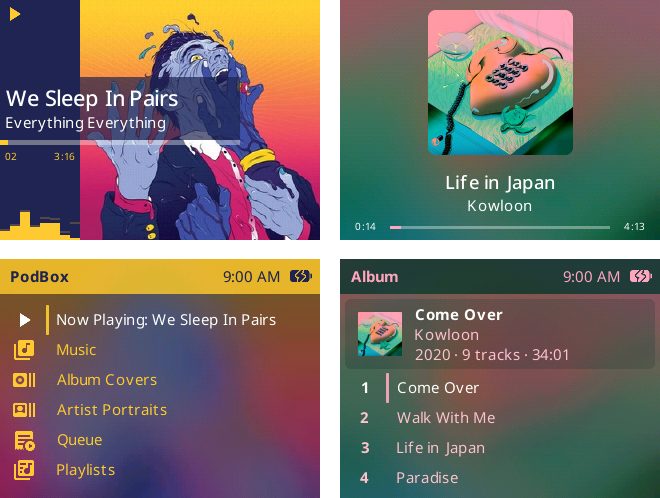
Screenshots
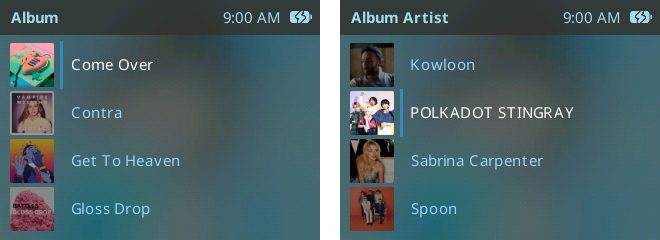


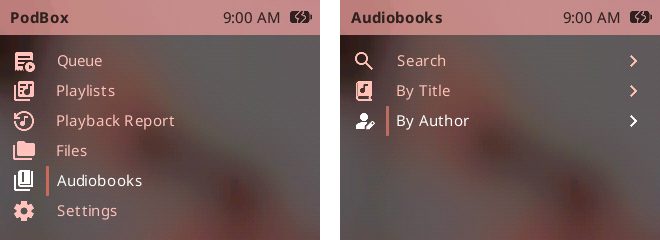

Pictures from the PodBox project.
What it adds
- Art beside every list, plus an Artist Portraits carousel
- Colors from the playing track, with the Scrim theme
- Audiobook and podcast resume
- Playback Report with stats and badges
- Playlist Engine from analyzed audio
- Arcade of click-wheel games
- Dock, USB DAC and iAP2 car support
Install in 5 steps
Keep a way back. Before you switch, copy the iPod’s .rockbox folder to your computer. To return, delete the folder on the iPod and copy yours back.
About PodBox
PodBox builds on Rockbox and Rockpod and adds a lot: audiobook and podcast tracking, a Playback Report with listening stats, a Playlist Engine that builds playlists from analyzed audio, an Arcade of click-wheel games, and car, dock and USB DAC support. Several features are marked new or experimental.
Artist pictures come from a folder.jpg in each artist’s folder. CrateDigger can write these for you. Themes are rebuilt for each release, so update them along with PodBox.
Which iPods it runs on
podbox-bootloader.zipall-themes.zipDoes it work on yours?
Loading reports…